 CLIENTGEN REACH
Claude
 Claude
Prepare outreach in the conversation you already use. Add the Reach plugin for guided workflows.
View in ClaudeMeet ClientGen Reach
A personal note. An invitation to get together. A reason to pick up the conversation. Reach connects your ideas in AI to the pieces you can share with people.
Current connectors are available in Claude and ChatGPT. The upgraded workflow and Reach console remain in private preview.

This is where Reach comes in
Describe what you have in mind in Claude or ChatGPT. Reach helps prepare the pieces, so you can focus on the person.
A thank-you note. A workshop topic. A reason to reconnect.
Review the wording, your firm’s brand and the people receiving it.
Confirm recipients and permission. Your firm’s review, the exact cost and your approval come before sending.
From an idea to something tangible
“Help me thank Morgan for the conversation we had yesterday.”
Morgan, I really enjoyed our conversation yesterday. Thank you for sharing what matters to you. I look forward to staying in touch.
Warmly, Alex
Fictional concept · You review every detail. Nothing is sent here.
CLIENTGEN REACH
Turn your next workshop idea into a branded invitation, display ad and signup page. See the pieces together. Refine them with your firm. You approve the next step.
Preview the upgraded campaign workflow with our team. The Reach console remains private.
Explore ClientGen ReachSee current AI connections →“Build a campaign for our Planning Your Next Chapter workshop. Use our firm’s brand. Show me the invitation, ad and registration page.”
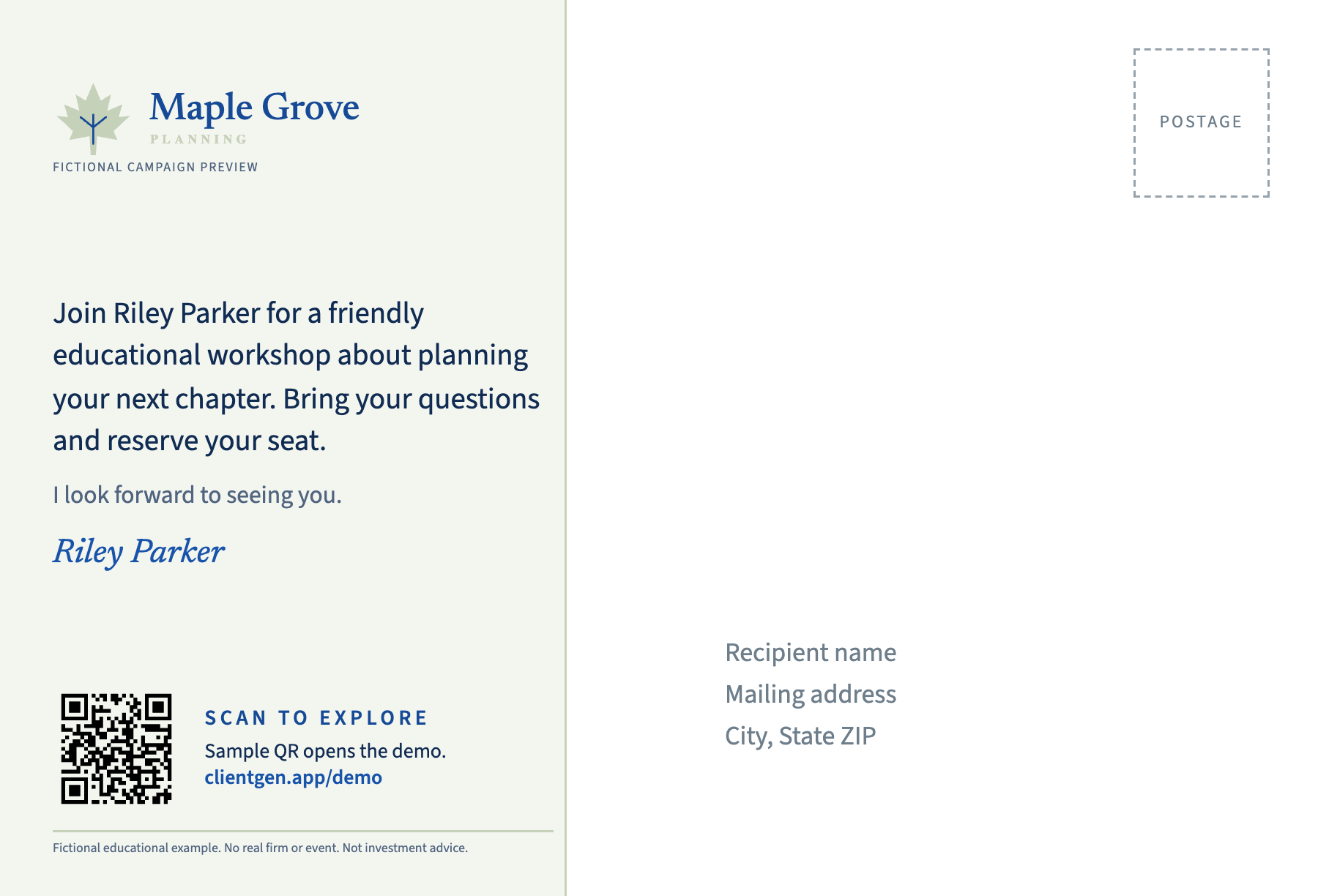
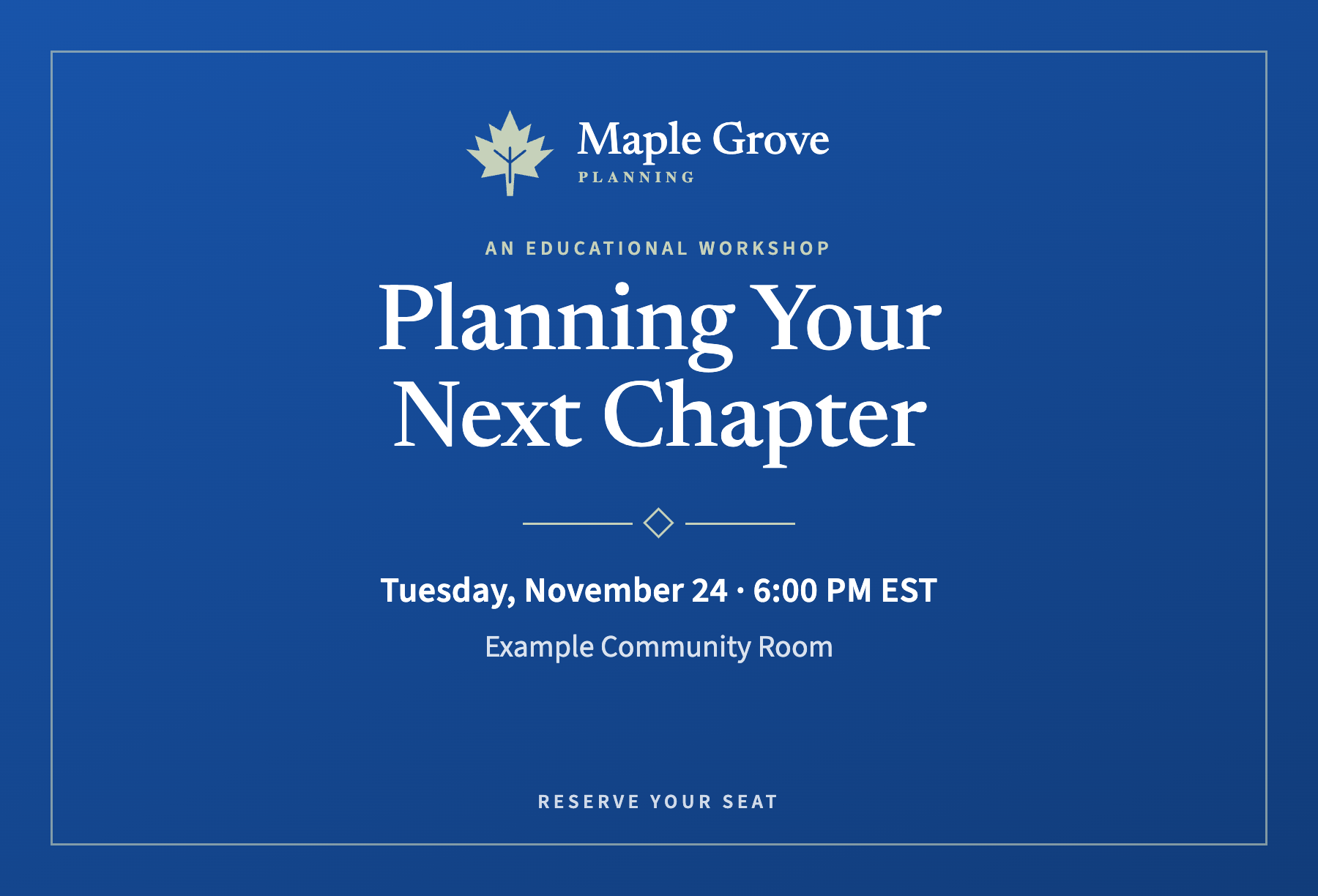
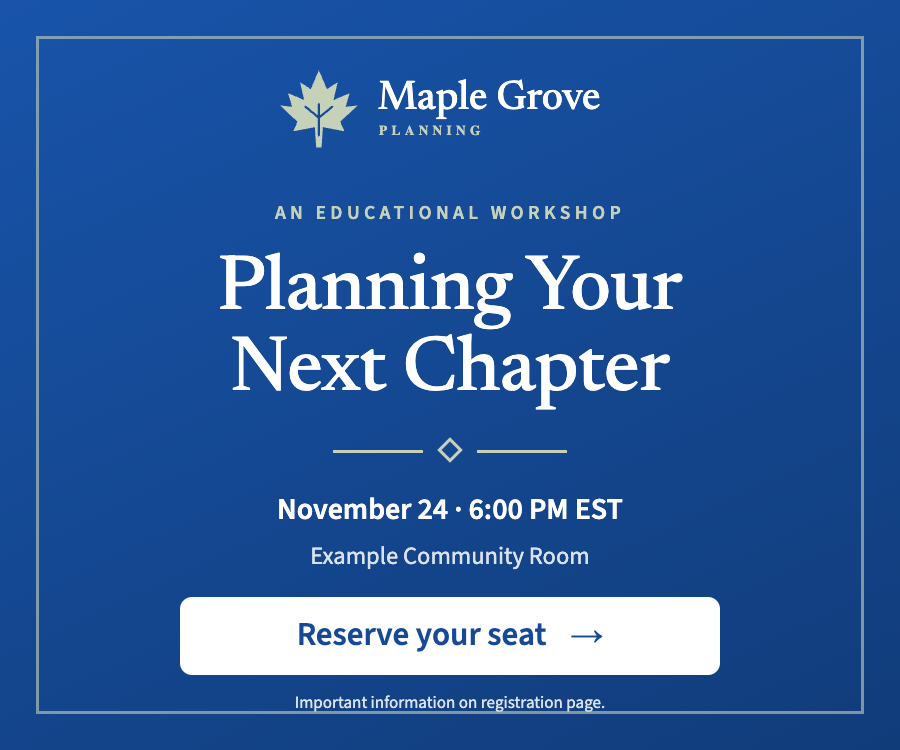
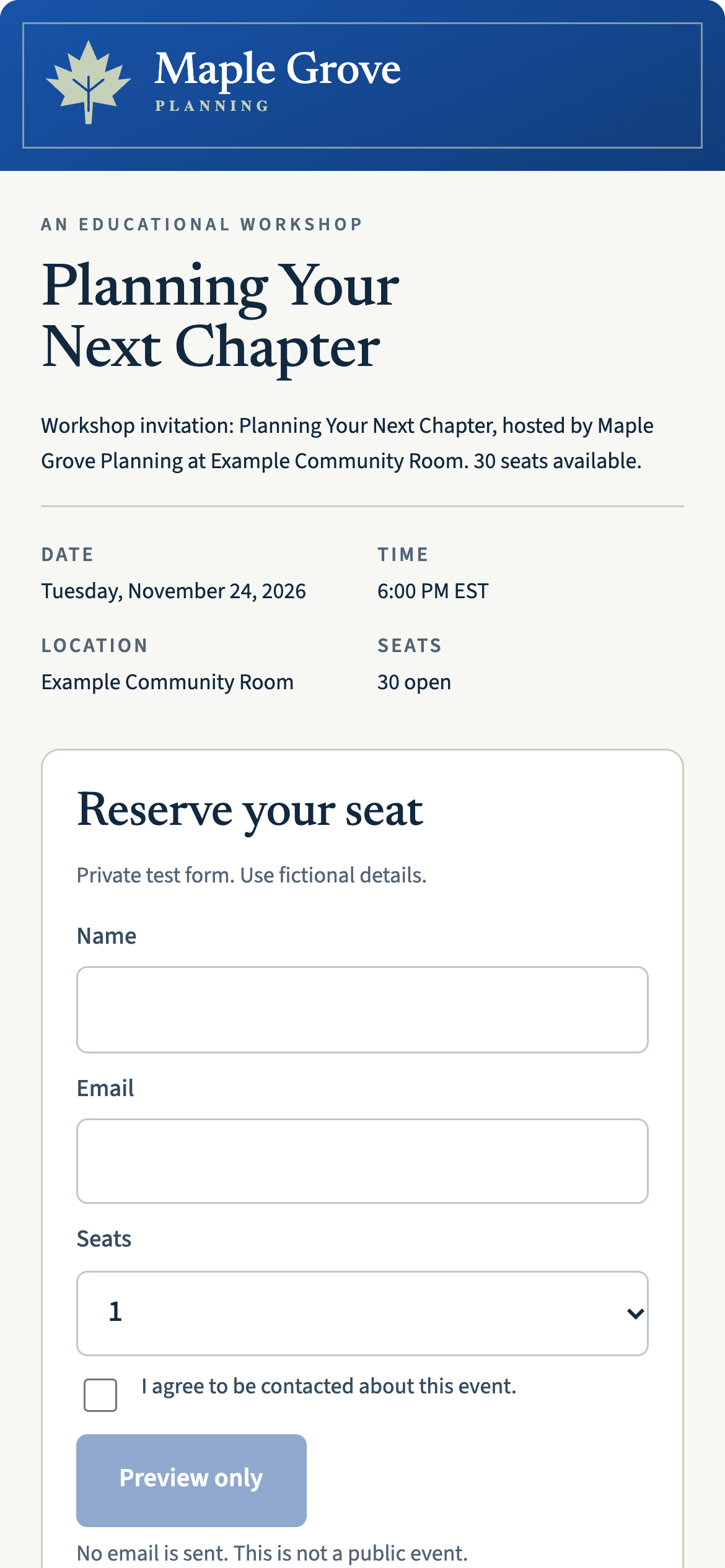
Fictional Maple Grove campaign. Styling examples adapted from product proofs; registration is a static preview.
*Current Reach connectors are available in Claude and ChatGPT. Reach console and upgraded campaign workflow remain in private preview.
YOUR WORKSPACE. YOUR CHOICE.
Reach connects your request to campaign tools. Choose an AI workspace or the new browser console. Availability differs by option.
Prepare outreach in the conversation you already use. Add the Reach plugin for guided workflows.
View in ClaudeClientGen Reach V1 · v0.3.1 · 9 skills. Listed in ChatGPT. A Reach account and connection are required.
Open in ChatGPTA dedicated web workspace for the brief, creative and review. Preview the new experience with our team.
Preview the consoleA PLACE OF ITS OWN
The new Reach console brings the conversation and campaign review into one browser workspace.
Book a console walkthroughActual private-preview screen. This is a separate Reach experience from the existing ClientGen prospecting app. Not released for customer use. Public access and pricing will be confirmed before release.
MORE THAN THE INVITATION
The upgraded Reach preview supports a full campaign and smaller, personal moments. Start with the job at hand.
Prepare a workshop invitation, coordinated ads and a registration page. Review the pieces together.
WORKSHOP CAMPAIGNDraft a note for one person. Review the front, inside message and disclosure without building an event or ad campaign.
STANDALONE NOTECreate a separate thank-you draft linked to a past event. Choose confirmed attendees, then review permission, costs and approval again.
POST-EVENT FOLLOW-UPUpgraded workflow: private preview. Registration does not establish attendance. A digital handwriting preview does not demonstrate physical pen output; stationery and fulfillment are confirmed before ordering.
From request to review
Ask for a campaign. Refine the pieces together. Then decide what is ready to go.
Describe your topic, audience and next step. Supply your firm’s brand and confirm the details before they are used.
Check the invitation, ad and page together. For a personal note, review the stationery, message and disclosure.
Confirm recipients, mailing permission, the quote and your firm’s required review. A draft or provider handoff is not confirmation of mailing or delivery.
Before you connect
No. Use ClientGen for Claude with an approved audience you supply. The first 30 days of connector software are free, then we bill $49 per advisor per month. Software is included for all ClientGen data subscribers. The standalone connector does not include the ClientGen prospect database.
Connector software access. Mailing, printing, handwritten notes, ad spend and other paid execution are additional, including during the free period. Claude access is separate.
You supply an approved audience. Use a list you are authorized to use, including an authorized export from ClientGen, or contacts available through a CRM connection in Claude. Review the selected recipients before preparing outreach. Connecting Reach does not automatically synchronize your ClientGen database or CRM.
We are testing a separate App companion for guided work inside ClientGen. It is not enabled by connecting Reach, and customer installation and workflow testing are still in progress. Today, use ClientGen directly for discovery and enrichment, then bring your approved audience to Reach for campaign creation. App access is separate from the standalone Reach subscription.
No. A standalone note is a separate workflow. Address-based household advertising requires at least 50 contacts; that minimum does not apply to a personal note. Confirm channel availability, fulfillment requirements and costs before approving an order.
No. Connecting gives Claude access to the authorized tools. Review the creative, audience and cost, and complete your firm’s approval process before paid execution.
An earlier product walkthrough
This Claude walkthrough covers the earlier campaign flow. The upgraded workflow and web console shown above remain in private preview.
Ready to connect? Follow the screenshot guide, copy your connector URL and sign in during setup.
Open the installation guideLead generation / When you need it
Start with Reach and the contacts you already know. Add the ClientGen Platform when you want to discover prospects, enrich contacts or monitor relevant changes.
Lead generation is a separate subscription. Bring an audience you are authorized to contact, review the selected recipients and confirm permissions before outreach. Connecting Reach does not automatically synchronize your database or CRM.
Meet the human side of AI
Bring a person, a topic or a thoughtful idea. Let’s explore what Reach can help you create.
See Reach in a demo ChatGPT